Integration testing
Integration testing lets you create test verification records in sandbox mode and control their status to test webhooks, emails, and your own integration logic.
Unlike the static sandbox scenarios, these records are created using your production flows. You can attach an external ID to correlate them with your own system, and transition them through statuses to trigger the same webhooks and emails your customers will see.
No personal data is processed, and sandbox operations are not billable.
Create a test verification
In the team menu, toggle on Sandbox mode, then navigate to Integration testing.
Create a new verification using the primary button on the page. You will need to enter an email and select a flow. You can optionally add an external ID to help with testing.
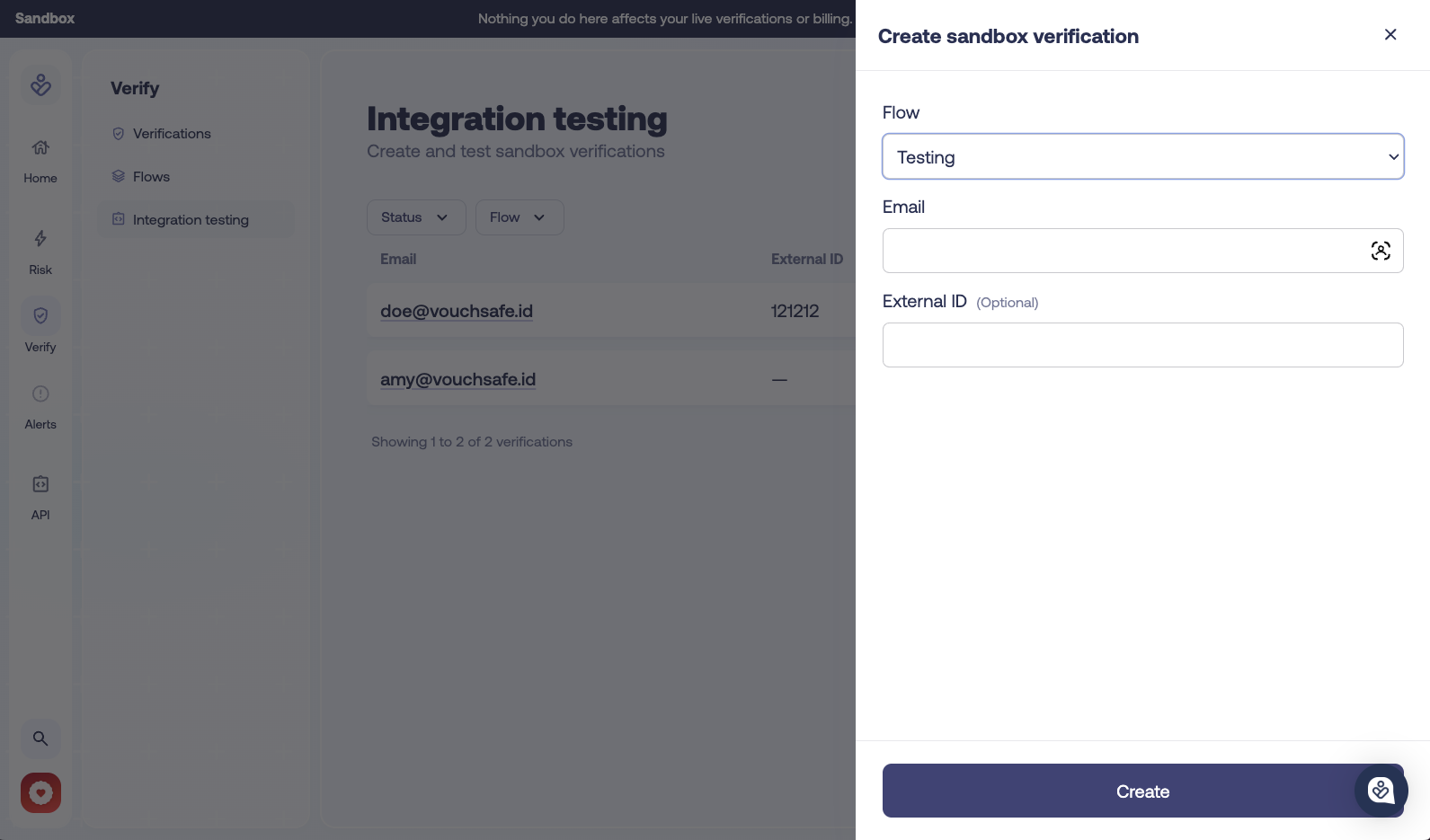
Update the status
Once created you will see the verification's results page. Use the dropdown on the right to update the overall Status. For each status you can see what webhooks and events it will fire.
All emails will be prefixed with TEST in sandbox mode, but are otherwise identical to the ones your customers and admins will receive.
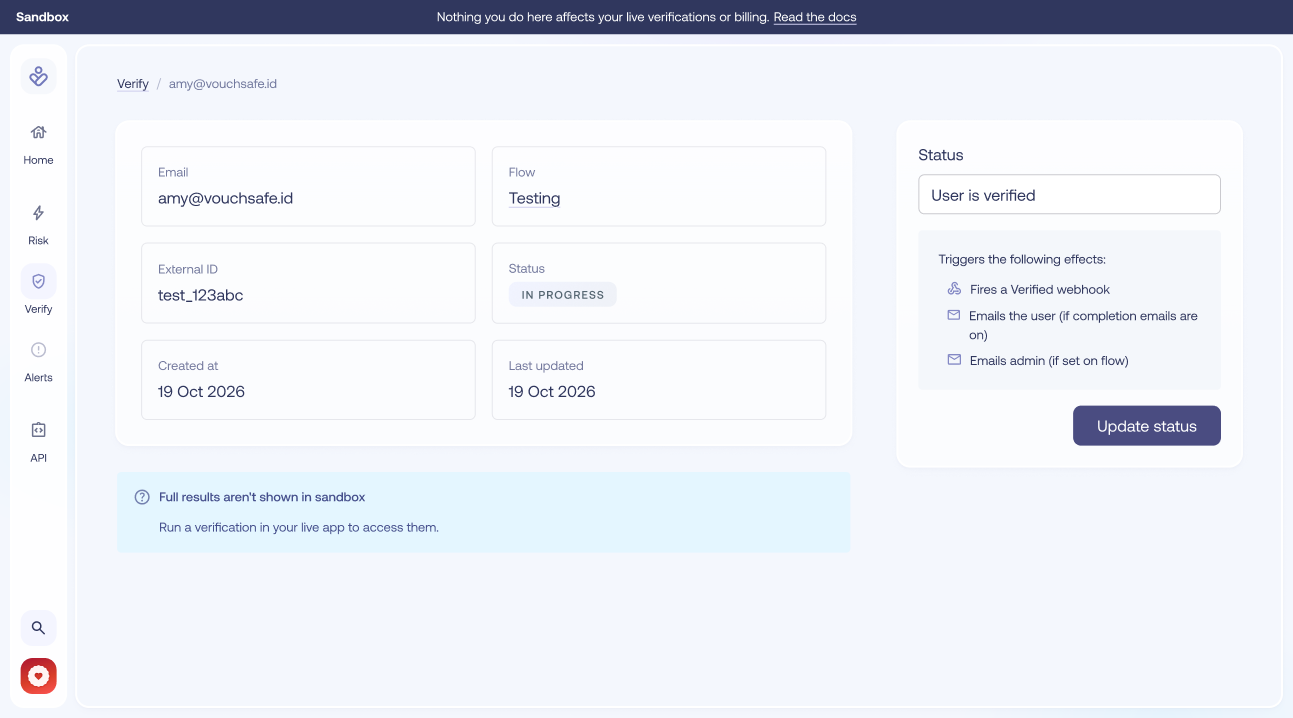
Verifications move through statuses in a fixed order — for example, a completed verification cannot be moved back to in progress. Verified and Manually Reviewed are final states. To test further state changes, create another sandbox verification.
Sandbox verifications have no claim details, checks or enrichments. See the API reference for the complete schema.